Features
Everything a good secretary does — for your degree
Welya connects the pieces most student apps keep separate: what arrives, what it means, when it's due, and when you'll actually do it.
Capture → Understand
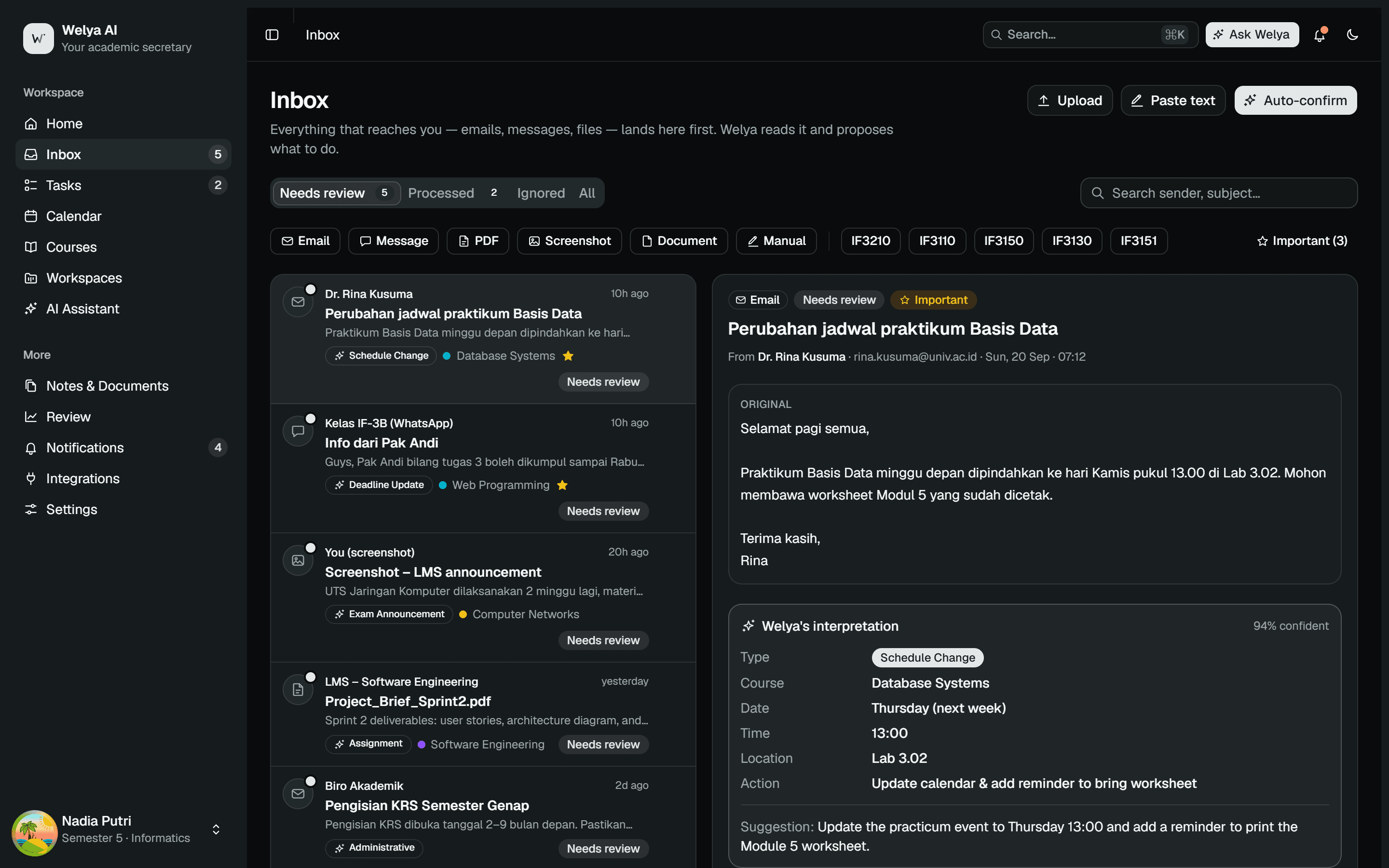
One inbox for everything your lecturers send
Lecturer emails, WhatsApp group messages, PDFs and screenshots land in one place. Welya reads each item and explains what it is: an assignment, a schedule change, an exam announcement, or just a note.
- Detects the type: task, schedule, exam, administrative
- Extracts course, date, time and location automatically
- Shows a confidence score — you stay in control
- One click to create a task, event, reminder or note
Organize
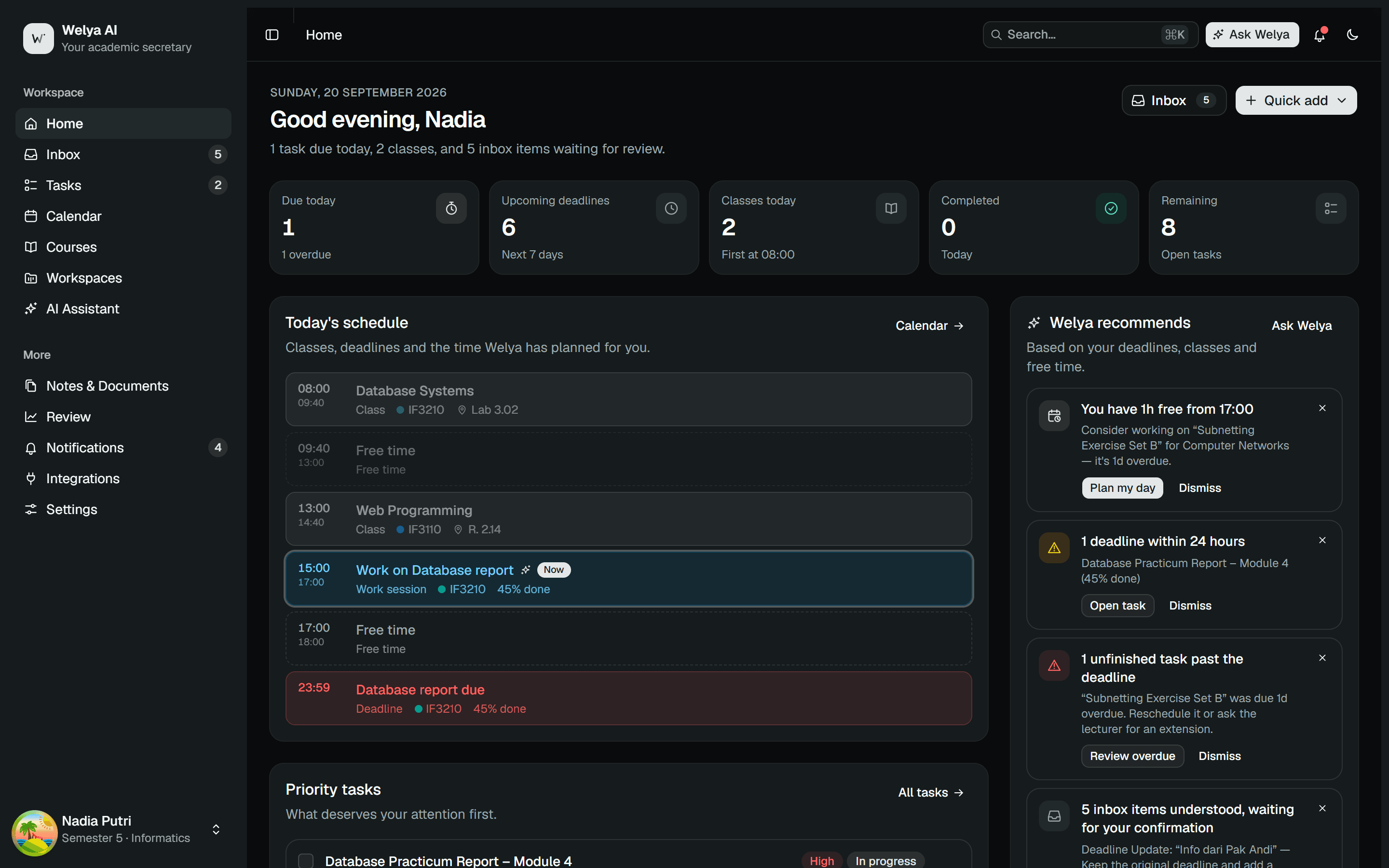
Your daily command center
Open Welya and instantly know what's due today, which classes you have, how much you've finished, and what Welya recommends working on right now.
- Today's timeline: classes, deadlines, work sessions
- Priority tasks with progress and subtasks
- AI recommendations based on your actual free time
- Quick add: task, note, event, upload
Plan
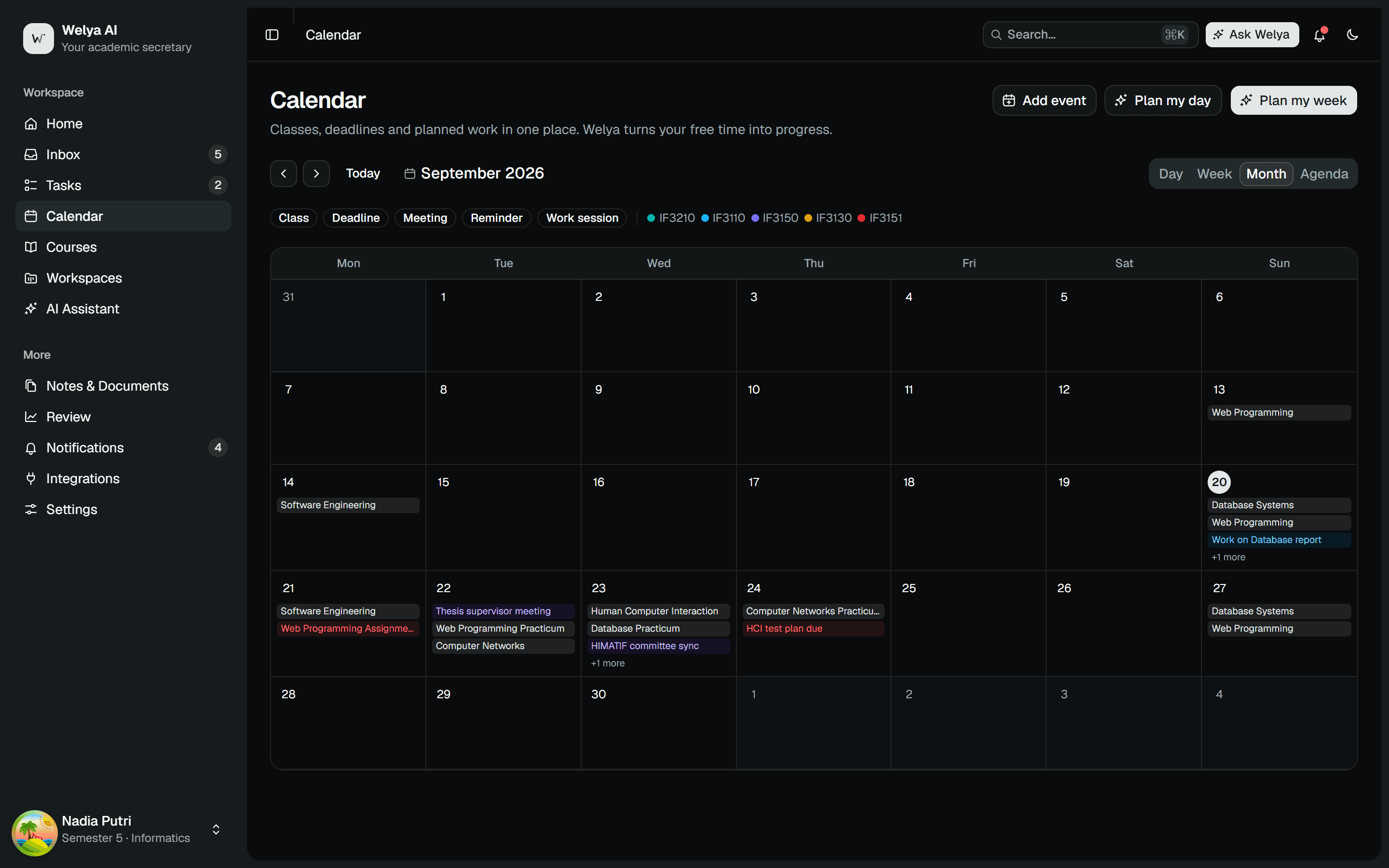
A calendar that knows when you can actually work
Welya finds the gaps between your classes and fills them with focused sessions for the most urgent tasks. Not just a calendar — a planner that understands your course load.
- Plan my day / Plan my week in one click
- Month, week, day and agenda views
- Sessions sized to each task's remaining effort
- Review the plan before anything hits your calendar
Act
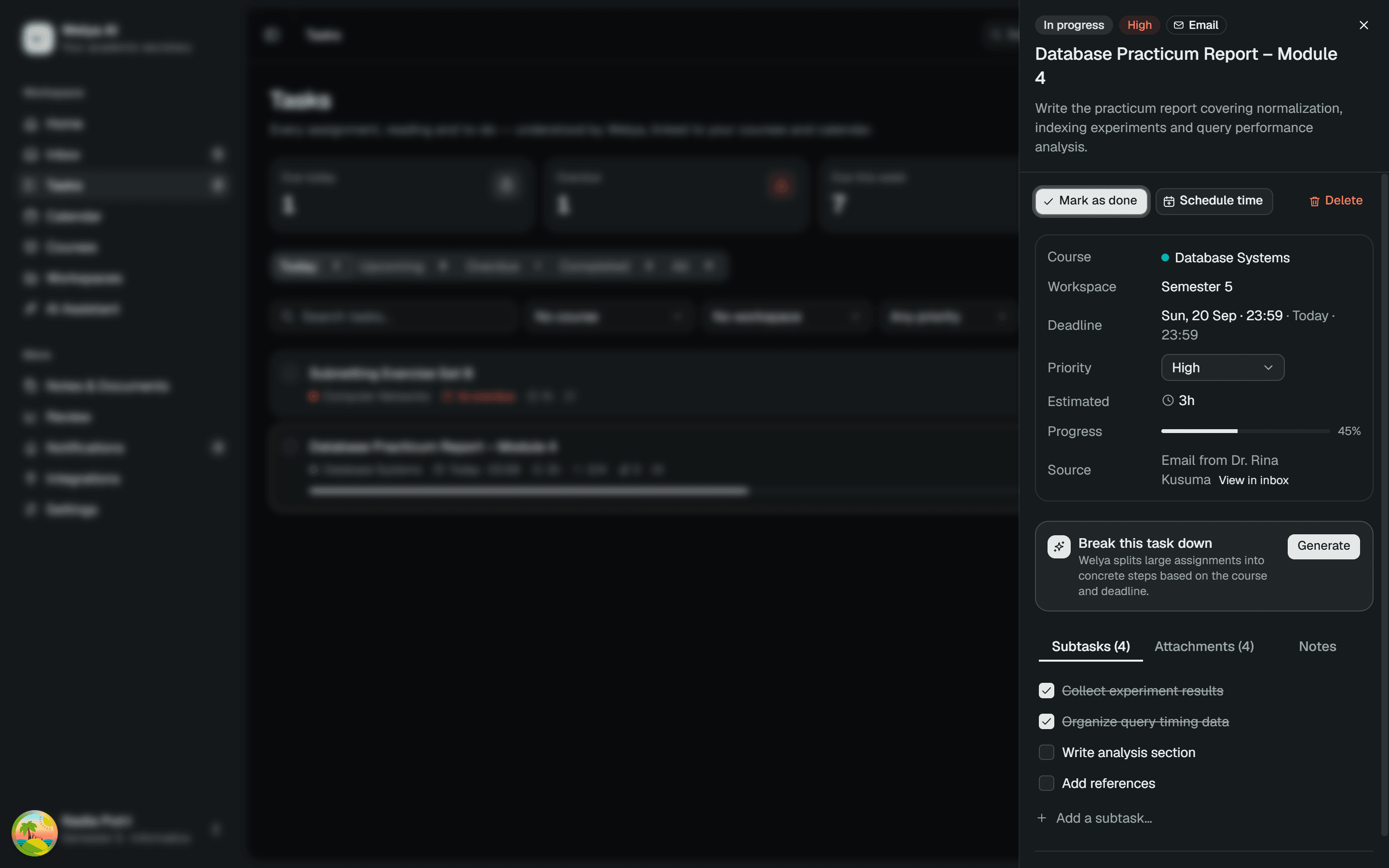
Big assignments, broken into checkable steps
A task like "Practicum Report – Module 4" becomes a list of subtasks you can tick off. Complete with time estimates, attachments, the message it came from, and your notes.
- Break this task down — subtasks generated by AI
- Views: today, upcoming, overdue, completed
- Linked to courses and workspaces
- Schedule a work session straight from the task
Ask
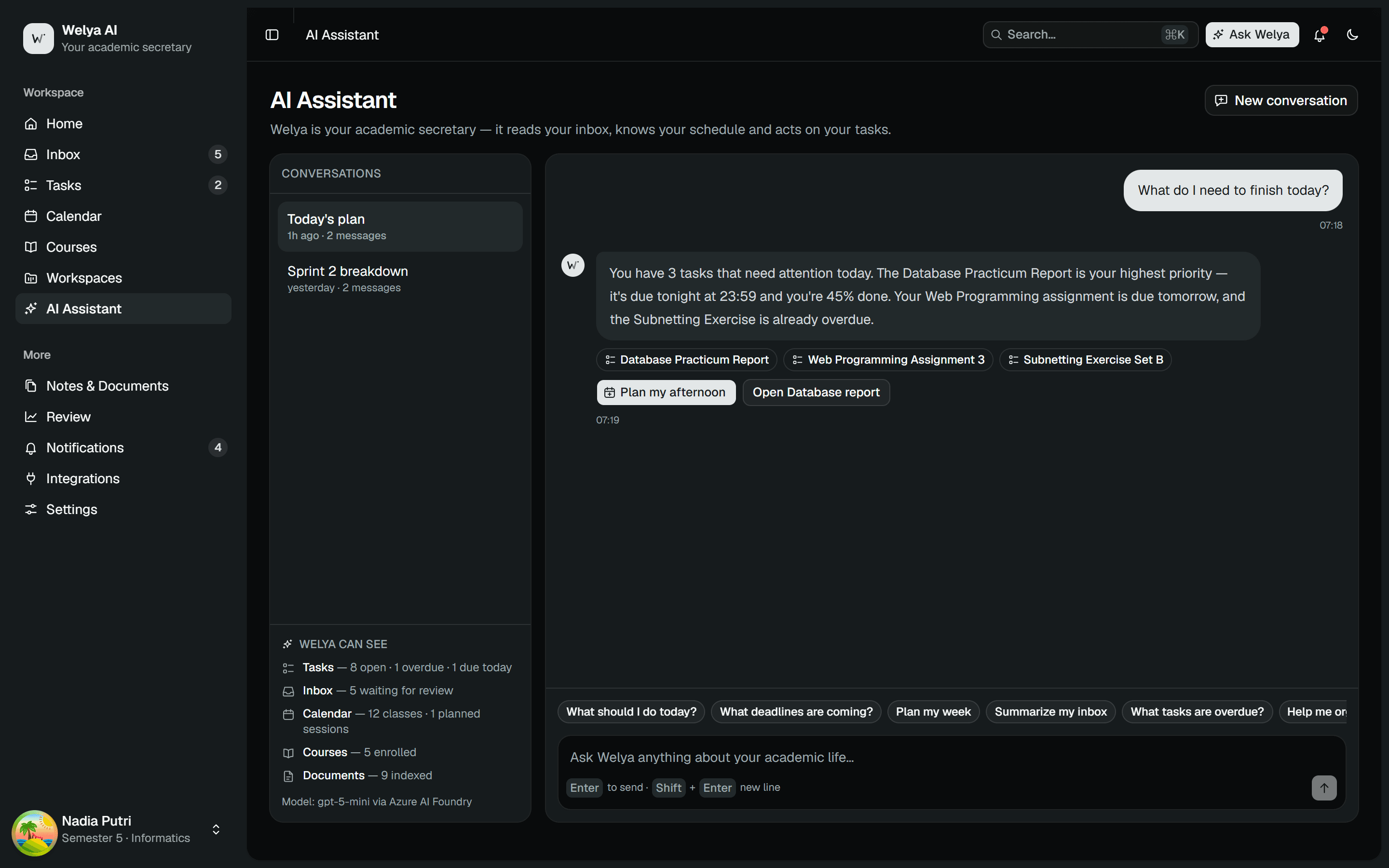
An assistant that knows your schedule and tasks
Ask "what should I work on today?" and Welya answers from the tasks, classes and free time you actually have — then offers actions it can run for you.
- Grounded: answers only from your data, never invents
- Executable actions: plan the day, open a task, break it down
- Context per course, workspace or document
- Conversation history is saved
Context
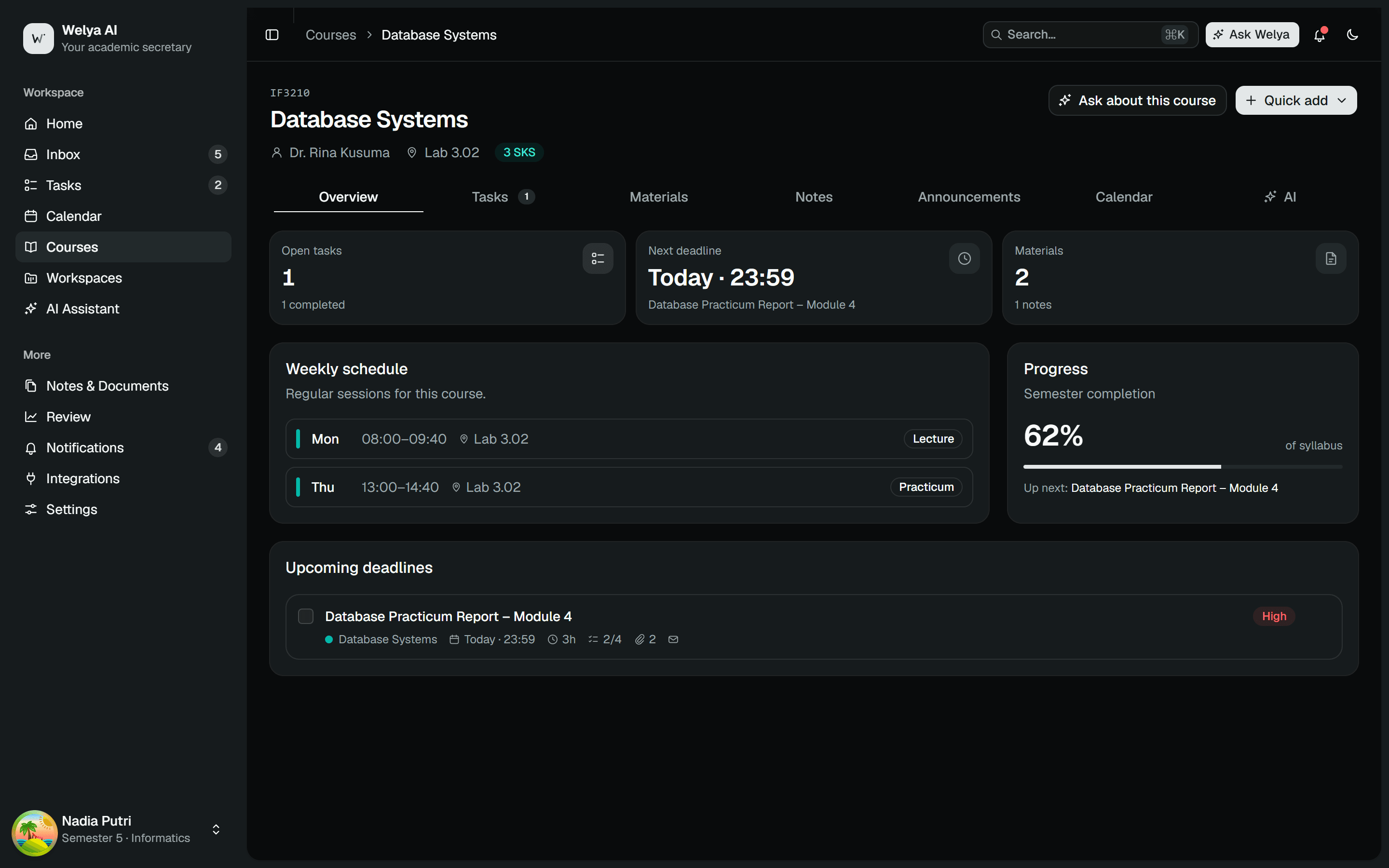
Every course has its own space
Schedule, lecturer, tasks, materials, notes, announcements and calendar per course — plus an AI you can ask specifically about that course.
- Semester progress per course
- Materials and notes linked to tasks
- Inbox announcements grouped automatically
- Ask Welya: "what's the next deadline?"
Extract
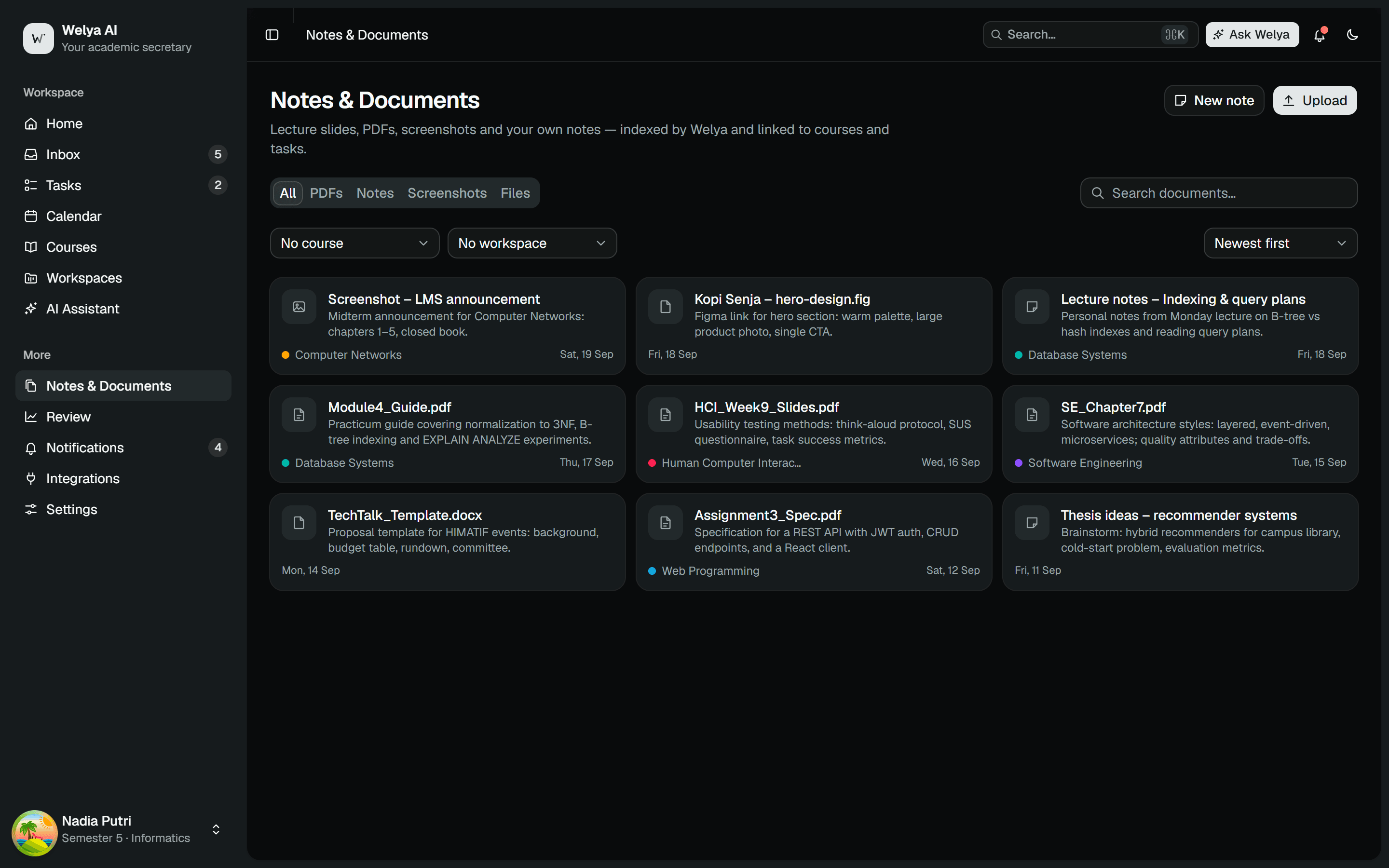
Documents you can talk to
Upload slides, a PDF brief or an LMS screenshot. Welya extracts the text, summarizes it, finds the tasks and deadlines inside, and drafts notes.
- Summarize, extract tasks, extract deadlines, create notes
- Automatic PDF text extraction
- Linked to the related course and tasks
- Chat directly with the document
Review
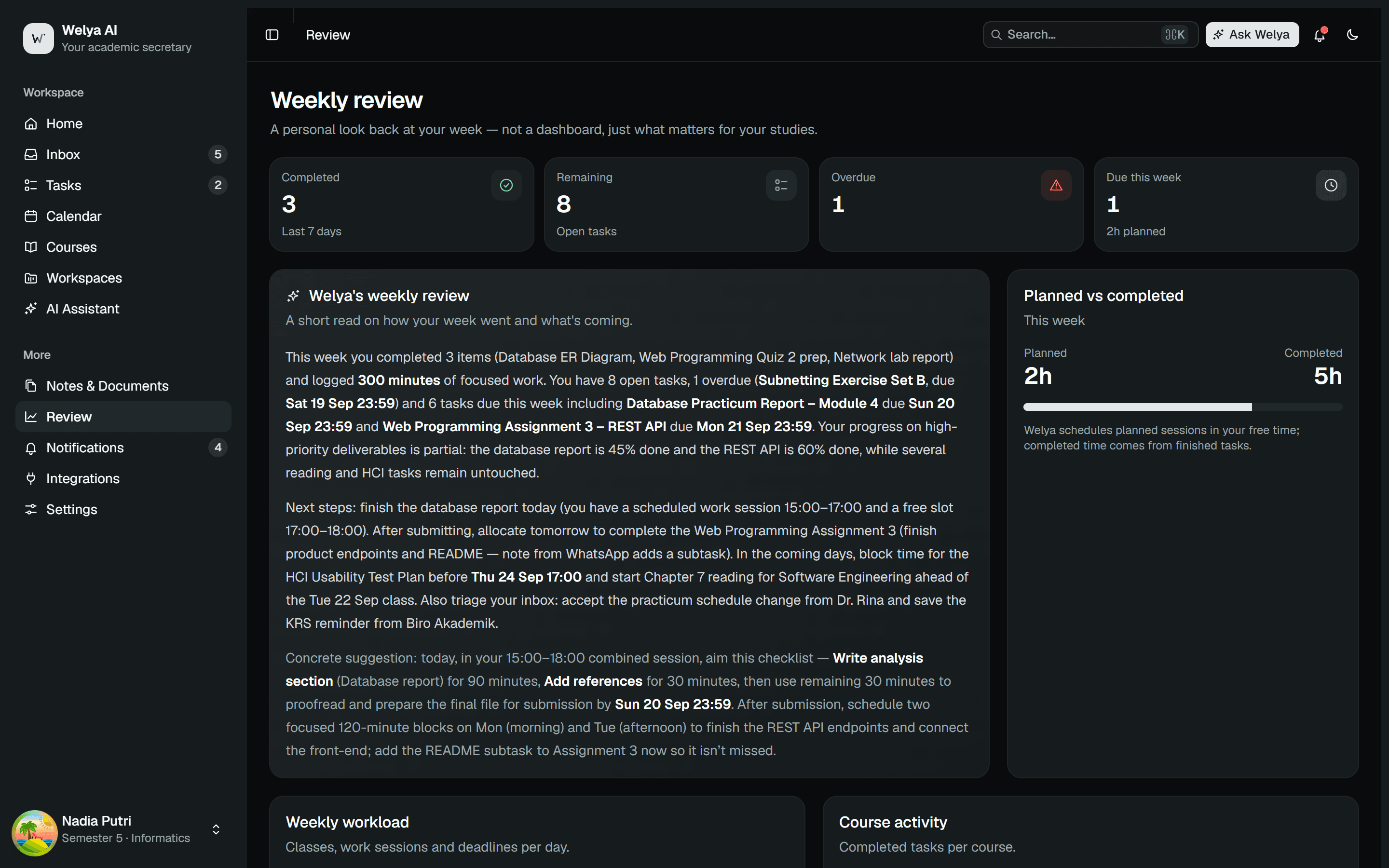
A weekly review that feels personal
Each week Welya sums up what got done, what slipped, your busiest day, and one concrete suggestion — like a secretary closing the week with you.
- Completed vs remaining vs overdue
- Load per day and per course
- Planned vs completed work
- A specific suggestion for next week
Let Welya handle the secretarial work.
Completely free for students. Web and desktop.